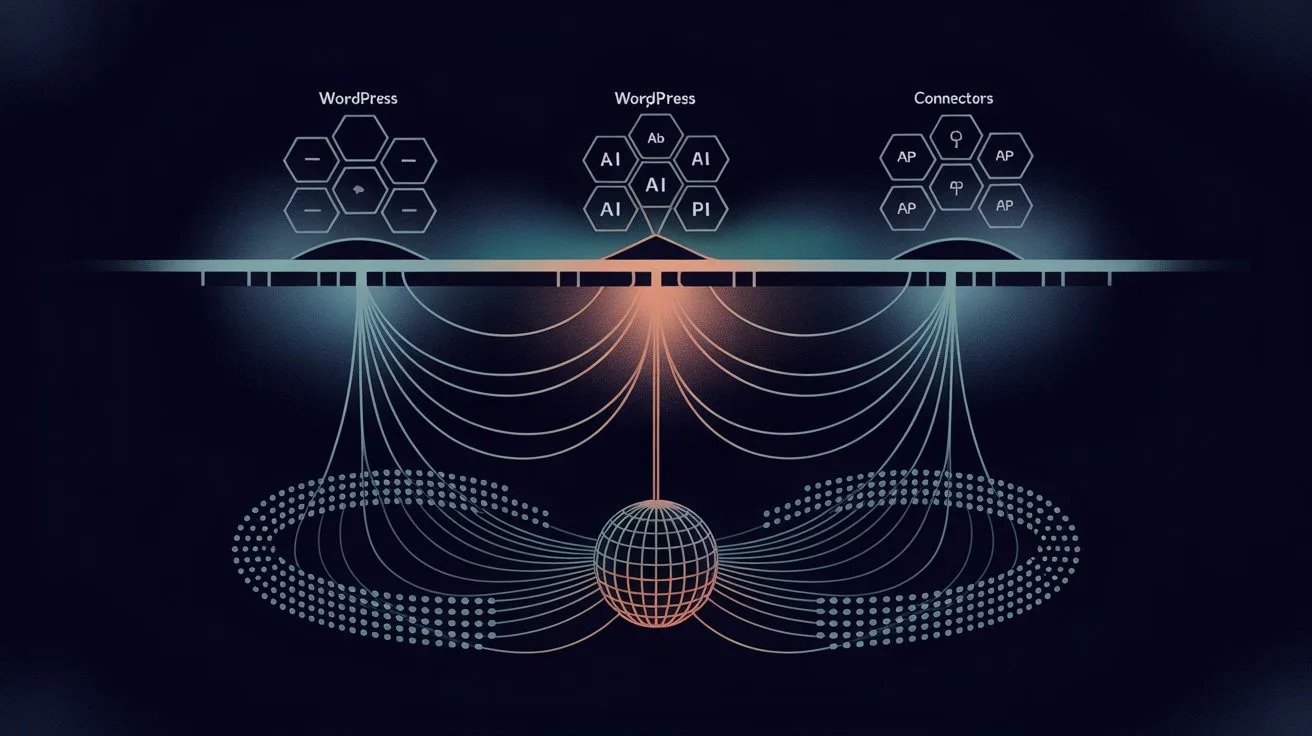
WordPress 7.0 "Armstrong" shipped on May 20, 2026. After years of incremental block editor improvements, this release does something genuinely new: it bakes AI directly into the WordPress core through three new APIs.
For plugin developers, the WP 7.0 field guide is mandatory reading. For store owners, a different question matters: does WordPress 7.0 mean you no longer need a separate AI search plugin?
The short answer is no — and the longer answer explains why specialized AI search and the new WordPress 7.0 AI infrastructure operate on completely different architectural layers. They aren't in competition; they're designed to complement each other.
This post breaks down exactly what shipped in WordPress 7.0, what it does (and does not) do for search, and how Queryra fits into the new ecosystem as an Abilities-aware plugin.
Full disclosure: I'm the founder of Queryra. The framing here positions Queryra as complementary to WP 7.0 — because that's what the architecture actually shows. If WP 7.0 made specialized search plugins obsolete, I'd say so.
The Three New APIs in WordPress 7.0
Three new APIs in WordPress 7.0 form the new AI infrastructure layer. Understanding what each one does is the prerequisite for any honest comparison with search plugins.
WP AI Client. A provider-agnostic interface for sending prompts to large language models. The same plugin code can route a prompt to OpenAI's GPT-4.1, Google's Gemini, or Anthropic's Claude — without changing the calling code. WP AI Client handles the differences in request format, response parsing, and error handling between providers. It's effectively a router.
What it does: send text → receive text.
What it doesn't do: index your content, build a vector database, perform semantic similarity search.
Abilities API. A registration system where plugins and themes can declare their capabilities to AI agents. A plugin like WooCommerce might register an ability called "create_product" with a schema for the parameters. An AI agent — running in the dashboard or through a third-party integration — can discover these abilities and call them as tools. It's how WordPress is becoming agent-friendly.
What it does: let plugins expose typed capabilities to AI agents.
What it doesn't do: provide search functionality on its own.
Connectors API. A unified credential management system. Instead of every plugin asking the user for their own OpenAI key, plugins request access through Connectors. Users see one centralized list of connected services in the WordPress dashboard, plugins receive scoped tokens, and key rotation happens in one place.
What it does: centralize API key management.
What it doesn't do: provide AI capabilities itself — it's pure plumbing.
Notice the pattern: all three are infrastructure. None of them provide search out of the box. WordPress 7.0 made it dramatically easier for plugins to use AI — but the plugins still have to do the actual work.
"Doesn't This Mean I Don't Need a Search Plugin Anymore?"
The most common question I've received since the WP 7.0 announcement: does this mean I can just ask the LLM "find me red dresses under $50" and it works?
The honest answer is: that's not what WP AI Client does, and that's not how search works.
What WP AI Client can do: call an LLM with a prompt like "rewrite this product description in a friendlier tone" and return the result. Useful for content generation, summaries, classifications, and similar text transformations.
What WP AI Client cannot do: look at your 800 products and return the 12 most relevant to a customer's query. LLMs don't have your product catalog in their context. Even if you stuffed all your products into the prompt, you'd hit token limits within a few dozen products — and the cost per search would be unsustainable (the cost difference is orders of magnitude — typical estimates range from $0.10+ per LLM-routed search to fractions of a cent for a direct vector lookup).
This is exactly the problem vector search solves. Vector embeddings convert each product into a numerical fingerprint that captures meaning. A search engine like Queryra stores these fingerprints in an index (ChromaDB), then finds the closest matches to a query's fingerprint in milliseconds — regardless of how many products you have.
WP AI Client is a router for LLM prompts. Queryra is a search engine over your content. Same word "AI," fundamentally different problems.
The closest WP 7.0 comes to search is letting you describe a query in natural language and route it to an LLM — which then has no way to look at your actual products. You still need an index. You still need embeddings. You still need a vector store. WordPress 7.0 didn't ship any of those.
Native WP 7.0 AI vs Specialized Search — What Each Layer Provides
Here's a structured comparison of what each layer provides:
WordPress 7.0 native AI (WP AI Client + Abilities + Connectors):
- LLM access (OpenAI, Gemini, Claude routing)
- Centralized API key management
- Plugin capability registry for AI agents
- Foundation for AI-powered features inside plugins
- Does NOT provide: vector embeddings, semantic search index, product matching, multilingual semantic understanding
Specialized AI search (Queryra):
- Vector embeddings for products, posts, pages
- ChromaDB-backed semantic similarity search
- Intent-aware query parsing (price filters, brand exclusions extracted from natural language)
- Multilingual native — single index across 50+ languages
- WooCommerce-optimized result ranking
- Off-site infrastructure — zero performance impact on your WordPress server
- Does NOT provide: general LLM access, capability registration for other plugins
Different problem spaces. WP 7.0 is infrastructure for LLM access. Queryra is specialized search infrastructure.
The two are designed to work together. WP 7.0 standardizes how plugins talk to LLMs. Queryra uses its own embedding pipeline (because LLMs don't produce embeddings — embedding models do that, and they're a separate API). But Queryra can register as an "Ability" so AI agents discover semantic search as a tool they can call.
How Queryra Integrates with WordPress 7.0
The Abilities API and Connectors API are where the integration story gets concrete. Queryra v1.4 (released May 25, 2026) is the first AI semantic search plugin built natively for both — the plugin now appears in Settings → Connectors alongside OpenAI, Anthropic, and Google, and exposes its semantic search as a discoverable ability for AI agents.
Here's how Queryra v1.4 registers its semantic search capability with the Abilities API:
// Abilities API integration — ships in Queryra v1.4 (May 25, 2026)
add_action('init', function () {
    if (!function_exists('wp_register_ability')) {
        return;
    }

    wp_register_ability('queryra/semantic_search', [
        'label'       => 'Semantic product search',
        'description' => 'Find products by meaning, not just keywords. Supports natural language queries, price filters, and multilingual input across 50+ languages.',
        'parameters'  => [
            'query' => [
                'type'        => 'string',
                'description' => 'Natural language search query',
                'required'    => true,
            ],
            'limit' => [
                'type'        => 'integer',
                'description' => 'Maximum number of results',
                'default'     => 10,
            ],
        ],
        'handler' => 'queryra_handle_ability_search',
    ]);
});
What this enables: any AI agent running on the site — whether that's a WordPress core feature, a chatbot plugin, or a third-party assistant integration — can discover Queryra's semantic search as a tool and call it.
The flow: a user types "find me lightweight running shoes for flat feet" into a chat interface. The agent recognizes semantic search is the right tool for product discovery, calls Queryra through the Abilities API, and gets back relevant products from your catalog — without the AI agent having to know anything about ChromaDB, vector embeddings, or your product catalog structure.
This is what infrastructure-level integration looks like. Queryra doesn't replace WP AI Client — it plugs into the Connectors and Abilities ecosystem so other AI features can use it as a building block.
When Native Is Enough, When Specialized Matters
When is native WP 7.0 AI enough? When is specialized search needed?
Native WP 7.0 AI is enough when:
- You need to generate or rewrite content (product descriptions, titles, summaries)
- You want a chatbot that can call your plugin's capabilities
- You're building a content-classification feature (auto-tagging, content categorization)
- You don't need to find things — you need to transform things
Specialized AI search (Queryra) is needed when:
- Customers search your store with natural language ("comfortable shoes for standing all day")
- You sell in multiple languages and need a single search index across them
- You want price filters and brand exclusions parsed from free-text queries
- You need sub-second search across thousands of products
- You need search analytics to understand what customers actually look for
These aren't either/or. A WooCommerce store running WordPress 7.0 will typically need both: native AI for content generation tasks, specialized search for product discovery.
Real-World Example: Same Query, Three Approaches
Imagine a customer on a WooCommerce store running WordPress 7.0. They type into the search box:
"warm coat for hiking in Norway, under $300, not too heavy"
Default WordPress 7.0 search (still keyword-based, even with new AI APIs): searches for "warm," "coat," "hiking," "Norway," "300," "heavy." Probably returns zero products unless one of your descriptions happens to contain those exact words. WP AI Client is sitting right there in core — but the default search doesn't use it for matching.
Native WP AI Client called directly (if you wrote a custom integration): the LLM receives the query and... has no idea what you sell. It can describe what a warm hiking coat looks like, or suggest brands generally, but it can't return YOUR products because YOUR products aren't in the LLM's context.
Queryra: converts the query into a vector embedding, runs vector similarity against your product index, and parses out the structured filters ("under $300" → price filter, "not too heavy" → semantic match for lightweight). Returns warm hiking coats from your catalog, sorted by semantic relevance, filtered by price. All in one request, ~200ms.
The three approaches solve different parts of the problem. WP 7.0's WP AI Client is a great hammer — for LLM-shaped problems. Search is a different shape.
Queryra Roadmap for the WP 7.0 Ecosystem
Queryra v1.4 (released May 25, 2026, one day before this post) is the first wave of native WP 7.0 ecosystem integration:
✓ Abilities API registration — shipped in v1.4. wp_register_ability('queryra/semantic_search', ...) so AI agents and other plugins can discover Queryra's semantic search as a callable tool with a typed parameter schema.
✓ Connectors API integration — shipped in v1.4. Queryra now appears in WP admin → Settings → Connectors alongside OpenAI, Anthropic, and Google. Same UI, same integration layer, equal standing in WordPress core. Site owners can manage the Queryra connection from the centralized Connectors panel instead of digging through plugin settings.
On the roadmap for subsequent releases:
WP AI Client integration for query rewriting. Optionally route ambiguous queries through WP AI Client for query expansion before semantic search runs. Uses your existing LLM provider (OpenAI/Gemini/Claude) — no extra dependencies, no extra API keys.
Per-language query parsing and language-aware ranking. Queryra's embedding model already handles 50+ languages natively; the next step is language-aware ranking and per-language intent extraction on top of existing multilingual support.
The architecture is now what the roadmap promised: Queryra integrates with WP 7.0 infrastructure (Connectors + Abilities live today, optional WP AI Client routing on the way) while continuing to own the specialized semantic search layer that WP 7.0 doesn't provide.
The Honest Take
WordPress 7.0 is the most significant release in years. The AI infrastructure it ships — provider-agnostic LLM access, capability registration, unified credential management — finally gives plugin developers a stable foundation for AI-powered features. The WordPress Core team made the right call: build infrastructure, let specialized plugins solve specialized problems.
That last part matters. WordPress 7.0 deliberately did NOT ship a built-in semantic search plugin, a vector store, or embedding pipelines. The Core team understands that semantic search is a different problem than LLM access — different tech stack, different cost profile, different optimization targets.
Specialized search plugins didn't become obsolete with WP 7.0. The opposite happened: the path for specialized plugins to integrate cleanly with the broader AI ecosystem just got much easier. A semantic search plugin running on WP 7.0 can register its capabilities, share credentials, and route ambiguous queries through the native LLM router — without rebuilding any of that infrastructure.
For Queryra, this is good news. We get to focus on what we do — vector search, intent parsing, multilingual relevance — while the AI plumbing becomes part of WordPress itself.
If you're running a WooCommerce store on WordPress 7.0 (or planning to upgrade), the takeaway is simple: WP 7.0 didn't replace your need for search; it made the search layer easier to integrate. Specialized AI search is still a separate concern, and that's by design.
Next Steps
A few concrete actions if this post is relevant to you:
If you're a WooCommerce store owner: upgrade to WordPress 7.0 on your staging site first. Audit which of your existing plugins have shipped 7.0-compatible updates. Search plugins specifically: check whether they handle the new search hooks introduced in 7.0.
If you're already using Queryra: update to v1.4 (released May 25, 2026) through your WordPress admin → Plugins. The update is backward-compatible (Queryra still works on WordPress 5.8 through 6.x), and on WordPress 7.0 sites you'll see the plugin appear in Settings → Connectors alongside OpenAI, Anthropic, and Google. Existing semantic search functionality is unchanged — this update adds ecosystem integration on top.
If you're evaluating AI search options: WP 7.0 doesn't change the evaluation criteria. You still need vector embeddings, multilingual support, and intent-aware ranking. Compare specialized plugins (Queryra, Algolia, others) on those merits, not on "does it use WP 7.0 features."
If you're a plugin developer: start thinking about how your plugin's capabilities could be exposed through the Abilities API. This is the new contract for plugin-AI integration in WordPress, and the plugins that adopt it early will be the easiest for AI agents to use.
WordPress 7.0 raised the floor for what's possible. Specialized plugins like Queryra raise the ceiling for what your store can deliver to customers. Both layers matter.
Ready to fix your WooCommerce search?
Free forever, no credit card, works on WordPress 6.x and 7.0
Frequently Asked Questions
Does WordPress 7.0 include built-in semantic search?
No. WordPress 7.0 includes infrastructure for AI features (WP AI Client, Abilities API, Connectors API) but does not include vector embeddings, a semantic search index, or product-optimized search. Plugins like Queryra provide the specialized search layer that WP 7.0's infrastructure was designed to support.
Will WordPress 7.0 replace search plugins like Queryra?
No. WP 7.0's WP AI Client routes prompts to LLMs (OpenAI, Gemini, Claude). Queryra indexes content as vector embeddings and performs semantic similarity search. They solve different problems on different architectural layers, and they're designed to complement each other — not compete.
Does Queryra work on WordPress 7.0 today?
Yes. Queryra v1.4 (released May 25, 2026) ships with native WordPress 7.0 Connectors API and Abilities API integration — the plugin appears in Settings → Connectors alongside OpenAI, Anthropic, and Google, and exposes `queryra/semantic_search` as a discoverable ability for AI agents. Optional WP AI Client query rewriting and language-aware ranking remain on the roadmap for subsequent releases.
What's the difference between WP AI Client and a semantic search plugin?
WP AI Client sends text prompts to LLMs and receives text responses — it's a provider-agnostic router for OpenAI/Gemini/Claude. A semantic search plugin like Queryra converts your content into vector embeddings, stores them in a vector index, and finds the closest matches to a query's embedding. WP AI Client is for content generation and transformation; semantic search is for finding things in a catalog.
Can I use the Abilities API to expose my own search to AI agents?
Yes — that's exactly what the Abilities API is designed for. Plugins can register their capabilities (including search) so AI agents running on the site can discover and use them as tools. Queryra v1.4 ships this declaration live: `queryra/semantic_search` is a discoverable ability on any WordPress 7.0 site running v1.4 or later.
Should I wait for WordPress 7.0 to add native search before paying for a search plugin?
No. WordPress Core has not announced plans to ship native semantic search — and the architecture suggests they won't. WP 7.0's design philosophy is that Core provides infrastructure (LLM access, capabilities, credentials) while plugins provide specialized features. Semantic search is firmly in the plugin layer.